

Most rotas survive Sunday night. They fall apart on Wednesday, when a supervisor calls in sick, the delivery lands two hours early, and two people have already agreed a swap in a group chat the manager has not read yet.
That is the real test. Not whether the rota looks tidy when you publish it, but whether it still tells the truth four days later.
The short version: plan against demand windows rather than availability, build from repeatable shift patterns, treat publishing as a deadline, and make sure every change after publication updates one shared record.
What a staff rota actually has to do
A rota is not a timetable. It is the operating plan for the week, and it has three jobs.
- Cover the work. Every trading hour has enough people, with the right skills, in the right place.
- Give people a life. Staff can see far enough ahead to book an appointment, a train, or a shift at their other job.
- Survive change. When something moves, and it will, one version updates for everybody.
A spreadsheet does the first job well, the second badly, and the third not at all. That gap is exactly where the group chat comes from.
Short notice is the norm, and that is about to matter more
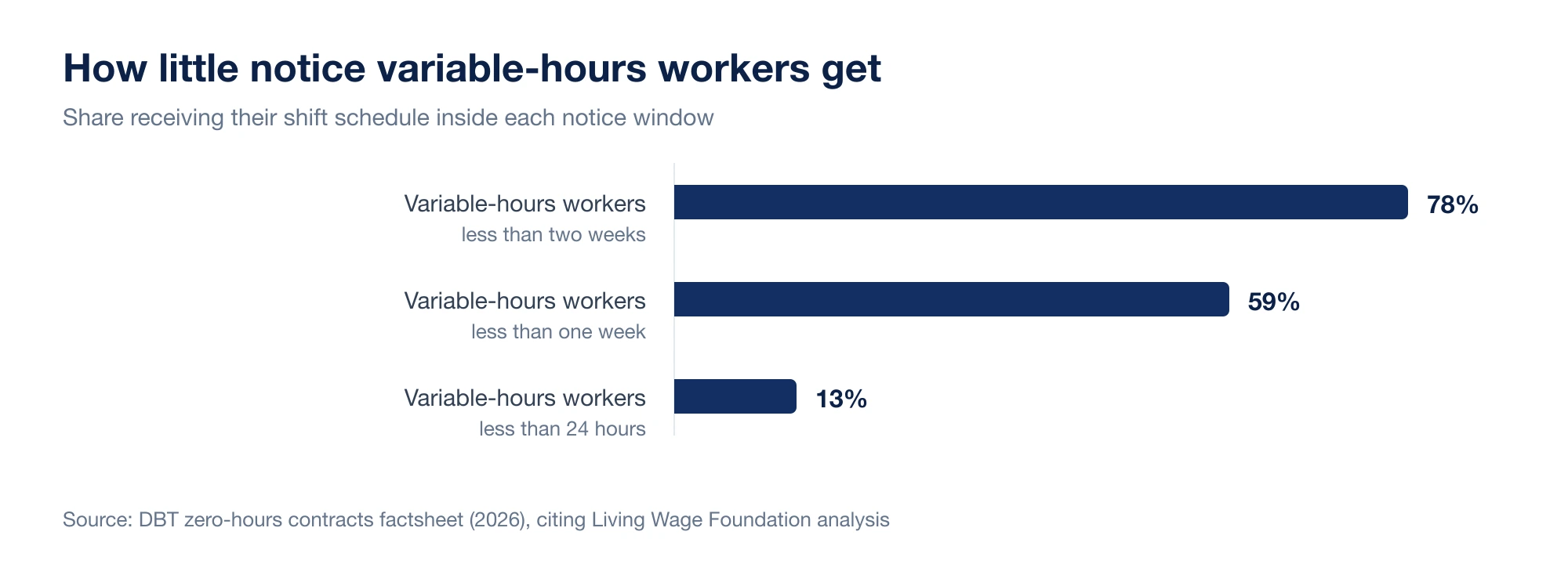
Late rotas are not a fringe problem. The Department for Business and Trade's 2026 zero-hours contracts factsheet says 59% of variable-hours workers receive less than a week's notice and 13% receive less than 24 hours. The underlying impact assessment also reports that 78% received less than two weeks.
| Notice window | Share of variable-hours workers |
|---|---|
| Less than two weeks | 78% |
| Less than one week | 59% |
| Less than 24 hours | 13% |
Cancellation matters too. The government's impact assessment says 25% of insecure workers had experienced an unexpected cancellation, and 88% of that group received less than the full value of the shift. Short-notice planning moves the cost of uncertain demand onto the worker through lost income, travel and childcare that may already have been arranged.
It is also becoming a legal question rather than only a management preference. The Employment Rights Act 2025 creates future rights to guaranteed hours, reasonable notice of shifts and payment when qualifying shifts are cancelled, moved or cut short at short notice. The government's latest implementation timeline, updated 7 August 2026, places those measures in 2027 and says exact timing will follow consultation. The regulations still have to define the notice presumption, low-hours threshold and payment amounts, so a business should prepare its records now without pretending those details are settled.
Plan against demand windows, not whole days
Most owners plan by day. Monday quiet, Friday busy, Saturday all hands. That is true and not very useful, because staffing problems almost always happen inside a day rather than across one.
Break each trading day into windows and write down what the business is actually doing in each one:
| Window | What is happening | Cover that matters |
|---|---|---|
| 07:00 to 09:00 | Prep, first commuters, deliveries | One confident opener, one on coffee |
| 09:00 to 11:30 | Steady trade, restocking | Two on floor, prep continues |
| 11:30 to 14:00 | Lunch peak | Full team, no training, no admin |
| 14:00 to 16:30 | Quiet trade, cleaning, orders | Two, one can take flexible work |
| 16:30 to close | Wind down, cash up, close | Someone who can genuinely close |
Once that grid exists, the rota almost writes itself, and availability becomes a constraint you work around rather than the entire plan.
The same exercise works outside hospitality. For a shop it might be deliveries, opening, school run, late browsers and cash up. For a salon it is appointment changeovers rather than footfall.
Build from repeatable shift patterns
Rotas get slow to build when every week starts from a blank grid. Give the business a small set of named shifts and reuse them:
- Open (prep and first trade)
- Mid (peak cover)
- Close (wind down and cash up)
- Peak only (short weekend or lunch shift)
- Delivery or prep
- Supervisor
Named patterns make gaps obvious before you publish, they make the rota faster to read, and they let a new manager build a credible week without a handover call. If your rota can only be built by one person, it is a single point of failure rather than a system. That is the case for moving to dedicated rota software rather than another spreadsheet template.
Treat publishing as a deadline, not a draft
The most expensive habit in small business scheduling is publishing early and then editing in messages. Two hours later nobody knows which version is real.
Pick a publication day and hold it. Before you press publish, walk the week once:
- Every shift has a person, a role and a location, or is deliberately left open.
- Approved leave and known absence are already on the grid.
- Nobody is closing at 23:00 and opening at 07:00 the next morning. Adult workers are entitled to eleven consecutive hours of rest between working days under the Working Time Regulations 1998, and a rota that quietly ignores that will cost you people even when it does not cost you a claim.
- New starters are never the only person covering a peak window.
- Long shifts have a real break in them, not a theoretical one.
After publication, changes are still allowed. They just have to go through a process instead of a thread.
Write the rota for the person reading it on a phone
Managers think in weekly coverage. Staff think about Thursday. Both views come from the same data, but they are not the same screen.
What a staff member needs, in about five seconds: their next shift, start and finish time, which site, which role, whether anything changed since they last looked, and whether their swap or leave request has been approved. If somebody has to pinch and zoom a screenshot of a spreadsheet to find their own name on row 14, you will get missed shifts. Not because the team is careless, but because the format invites the mistake.
Make fairness visible
Fairness is the complaint that costs you staff, and it is almost never about the shifts themselves. It is about the absence of a visible rule.
Nobody minds working one Saturday in three. People mind believing they work every Saturday because the manager likes somebody else more. Those two situations can look identical on a spreadsheet, so say the rule out loud:
- Weekend and bank holiday cover rotates, and here is the rotation.
- Closing shifts are shared across everyone trained to close.
- Contracted hours are honoured before extra hours are offered.
- Extra shifts are offered to everyone before they are handed to one person.
Then check yourself once a month. Count who has worked the unpopular windows. If the count does not match the stated rule, the rule is not real yet.
Get shift swaps out of the group chat
WhatsApp is a good way to reach people quickly and a terrible system of record. A swap agreed in chat usually creates three separate problems: the manager never formally approved it, the published rota still shows the old name, and attendance and timesheets are now measuring the wrong person against the wrong shift.
The workflow that fixes it is short:
- A staff member requests a swap or releases a shift.
- The manager approves or declines it, in one place.
- Approval updates the published rota for everyone.
- Attendance and timesheets follow the new assignment automatically.
Step three is the one people skip, and it is the one that matters. A shift swap app is only worth having if approval changes the operational record rather than just sending a message. If your team currently runs swaps through chat, replacing WhatsApp rotas is usually the single biggest admin win available.
Connect the rota to attendance and timesheets
Most payroll mistakes are not payroll mistakes. They are rota mistakes discovered three weeks late.
The rota says what was meant to happen. Employee attendance tracking records what did happen. Timesheet software turns the difference into payable hours. When those three live in different files, somebody spends the last Sunday of every month reconciling them from memory and screenshots.
When they share one record, the month-end job becomes reviewing exceptions rather than rebuilding the truth.
The pre-publish checklist
Run this before every rota goes out:
- Demand is covered window by window, not day by day.
- Every shift has an owner or is intentionally open.
- Approved leave is reflected.
- Skill mix is right in every peak window.
- Rest between shifts is realistic.
- Unpopular shifts match the stated rotation.
- Staff can see their own week on a phone without scrolling.
- There is one route for post-publication changes, and everyone knows it.
Where to start if this all sounds like a lot
Do not rebuild everything at once. Pick the demand window that goes wrong most often, staff that one properly for a fortnight, and see what changes. Then move swaps out of the chat. Those two changes fix most of the noise.
Weekola exists for the rest of it: plan the week, publish it once, approve changes in the open, and keep attendance, timesheets, swaps and leave pointing at the same rota.